#Building An AI Discord Chatbot? - With Tools
This is the second article of the series, if you haven't seen the first one, click below!
Building An AI Discord Chatbot?
#0. What is a tool?
Hammers, screwdrivers... no? Not those kinds of tools?
Tools are what bridge LLMs and other non-text entities. For example, the model itself cannot extract the content of a link, so how does the model obtain the content of the link you pasted in ChatGPT?
Actually, the model is calling a tool behind the scenes, which fetches the content and adds it to the context. After that, the model can generate a response based on the correct context!
#1. How to build a tool then?
AI SDK provides a convenient and stable tool interface:
import { tool } from 'ai';
import { z } from 'zod';

export const weatherTool = tool({
  description: 'Get the weather in a location',
  inputSchema: z.object({
    location: z.string().describe('The location to get the weather for'),
  }),
  // location below is inferred to be a string:
  execute: async ({ location }) => ({
    location,
    temperature: 72 + Math.floor(Math.random() * 21) - 10,
  }),
});
The official example provides the minimal requirements for a tool:
description: The main description for the tool.inputSchema: Schema defined usingzod.- Fields are inputs from the model to the tool. Inputs are validated, and if the format is incorrect, an error will be returned to the model.
- You can also provide a detailed description for each field using the
.describe("text")function.
execute: The actual code that runs when the model calls this tool. Return values are sent directly to the model.
#2. What's MCP? Can I also use that?
MCP is the abbreviation of Model Context Protocol, a standard tool call format created by Anthropic. Supports three transportation formats: stdio, http, and sse.
AI SDK currently only has experimental support for MCPs, meaning the interface might change. However, experimental support is a type of support, so we'll treat it as usable and add it in.
import { experimental_createMCPClient as createMCPClient, type Tool } from "ai";
import { StdioClientTransport } from "@modelcontextprotocol/sdk/client/stdio.js";
import { StreamableHTTPClientTransport } from "@modelcontextprotocol/sdk/client/streamableHttp.js";

// local mcp
const fetchClient = await createMCPClient({
  transport: new StdioClientTransport({
    command: "uvx",
    args: ["mcp-server-fetch"],
    // env: { YOUR_ENV_VAR: "hello!" },
  }),
});

// remote mcp (http)
const context7Client = await createMCPClient({
  transport: new StreamableHTTPClientTransport(
    new URL("https://mcp.context7.com/mcp"),
    {
      requestInit: {
        headers: {
          "Authorization": "Bearer <CONTEXT7_API_KEY>",
        },
      },
    },
  ),
});

// remote mcp (sse)
const client = await createMCPClient({
  transport: {
    type: "sse",
    url: "<url using sse>",
    headers: {},
  },
});

// convert to ai-sdk tool format
const tools = await Promise.all(
  [fetchClient, context7Client, client].map((t) => t.tools()),
);#3. How to use a tool?
Now we have several tools ready, but a tool without a user is pointless. Just like this:

#Basic usage
AI SDK makes this really easy. Let us borrow some code we wrote previously:
import { stepCountIs } from "ai";

// other code in between

const { textStream, response } = streamText({
  model: provider('gpt-5'),
  messages,

  // pass in the `tools` we just created
  tools,

  // This controls the max rounds the loop can run before stopping.
  // If there's a tool call, there will be at least 2 rounds.
  // Since the default value of this is `1`, the `finishReason` will stop at `tool_call` if we don't change it.
  stopWhen: stepCountIs(10),
});
But there's still a small problem: this method only supports models with native tool call support.
Models like gpt-5-chat don't support tool call, so passing in the tools field will lead to OpenAI's API response a 400 error, telling you the model does not support this operation.
Note: Newer GPT Chat models are updated to support tool calls, but you can still use similar approaches to support models without native tool call capability.
#Support any model!
What should we do then? We can define our own tool call format and instruct the model on how to execute it in the system prompt.
When dealing with the textStream, we can detect if the current buffer contains an exact match of this format. If there's a match, we strip this section out, call the tool, add the result back to the messages, and call streamText again with the updated messages.
Repeat the whole loop until either the model finishes (finishReason = stop) or the loop exceeds the set limit.
Let's define a tool call format first: <tool-call tool="{name}">{payload}</tool-call>
Two helper functions to check if the current buffer could contain a tool call:
function maybeToolCallStart(text: string) {
  const start = "<tool-call";
  for (let i = 0; i < Math.min(text.length, start.length); i++) {
    if (text[i] !== start[i]) return false;
  }
  return true;
}
function maybeToolCallEnd(text: string) {
  const end = "</tool-call>";
  for (let i = 0; i < Math.min(text.length, end.length); i++) {
    if (text[text.length - i - 1] !== end[end.length - i - 1]) return false;
  }
  return true;
}
AI SDK would insert the tool descriptions for us, but we are rolling our own format now, so we have to craft out the descriptions first:
import { asSchema, type ModelMessage } from "ai";

const toolDesc = Object.entries((tools = tools || {})).map(([name, tool]) => {
  return {
    name,
    description: tool.description,
    jsonSchema: asSchema(tool.inputSchema).jsonSchema,
  };
});

const toolSystemPrompt: ModelMessage = {
  role: "system",
  content:
    "Important rule to call tools:\n" +
    '- If you want to call a tool, you MUST ONLY output the tool call syntax: <tool-call tool="{name}">{payload}</tool-call>\n' +
    "- Examples:\n" +
    '  - <tool-call tool="fetch">{"url":"https://example.com","max_length":10000,"raw":false}</tool-call>\n' +
    '  - <tool-call tool="eval">{"code":"print(\'Hello World\')"}</tool-call>\n' +
    "\nAvailable tools:\n" +
    JSON.stringify(toolDesc, null, 2),
};
The following code is going to be complicated; we need to wrap streamText to provide similar interfaces. The process looks like this:
- Call
streamText. - Monitor the text stream buffer. If it contains a tool call, save it. Otherwise, yield the chunk.
- After the stream finished. If there's a tool call waiting, call it. Otherwise, we are done.
- After the tool executed, add the result to
messagesand start over from step 1.
const { promise: finishReason, resolve: resolveFinishReason } =
    Promise.withResolvers<FinishReason>();

  const finalResponsesAccu: ResponseMessage[] = [];
  const { promise: finalResponses, resolve: resolveFinalResponses } =
    Promise.withResolvers<{ messages: ResponseMessage[] }>();

  const TOOL_CALL_SINGLE = /<tool-call\s+tool="([^"]+)">([\s\S]*?)<\/tool-call>/;

  // an async generator function, replacing the original `textStream`
  const textStreamOut = async function* () {
    while (true) {
      const { textStream, finishReason, response } = streamText({
        ...rest,
        messages: [toolsSystemPrompt, ...messages],
        prompt: undefined, // this is to make TypeScript happy
        tools: undefined, // ensure no `tools` are passed in
      });

      let buffer = "";
      let toolMatch: RegExpExecArray | null = null;
      let inToolCall = false;
      let carryOver = "";
      for await (const chunk of textStream) {
        if (inToolCall) {
          // could be a tool call, accumulate it
          buffer += chunk;
        } else if (maybeToolCallStart(chunk) && !toolMatch) {
          // could be a tool call, start accumulating the buffer
          inToolCall = true;
          buffer = chunk;
        } else {
          // not a tool call, yield the chunk and continue
          yield chunk;
          continue;
        }

        // if it's a valid tool call, save it for later
        if (inToolCall && maybeToolCallEnd(buffer)) {
          const match = buffer.match(TOOL_CALL_SINGLE);
          if (match) {
            const full = match[0];
            const idx = buffer.indexOf(full);
            const endIdx = idx + full.length;
            carryOver = buffer.slice(endIdx);

            toolMatch = [
              full,
              match[1],
              match[2],
            ] as unknown as RegExpExecArray;
          } else {
            yield buffer;
          }
          buffer = "";
          inToolCall = false;
        }
      }

      // buffer not empty after the stream, probably malformed tool calls, treats as normal content, and yields them out
      if (!toolMatch && buffer) {
        if (inToolCall) yield buffer;
        buffer = "";
        inToolCall = false;
      }

      const [, toolName, payload] = toolMatch ?? [];
      const tool = toolName && tools?.[toolName];
      // no tool call, ends the stream
      if (!toolName || !tool || !tool.execute) {
        resolveFinishReason(await finishReason);

        if (carryOver) {
          yield carryOver;
          carryOver = "";
        }
        resolveFinalResponses({ messages: finalResponsesAccu });
        break;
      }

      console.log(`Calling tool in compatible mode: ${toolName}`);

      // add the model messages we just received to the `messages` array
      const callId = generateCallId();
      const { messages: respMessages } = await response;
      messages.push(...respMessages);
      finalResponsesAccu.push(...respMessages);

      try {
        // call the tool
        const toolResult: unknown = await tool.execute(tryParseJson(payload), {
          toolCallId: callId,
          messages: respMessages,
        });

        // Successful, add the result as a system message
	// Usually, a tool call would have the `role` field set as `tool`. But some API providers check and compare `toolCallId`. To ensure this won't break, we add the result as a system message.
        messages.push({
          role: "system",
          content: JSON.stringify([
            {
              type: "tool-result",
              toolCallId: callId,
              toolName,
              output: toToolResultOutput(toolResult),
            },
          ]),
        });
      } catch (err) {
        // Failed, tell the model why
        messages.push({
          role: "system",
          content: JSON.stringify([
            {
              type: "tool-result",
              toolCallId: callId,
              toolName,
              output: {
                type: "error-text",
                value: `Tool execution failed: ${String(err)}`,
              },
            },
          ]),
        });
      }

      if (carryOver) {
        yield carryOver;
        carryOver = "";
      }
    }
  };

  return {
    textStream: textStreamOut(),
    finishReason,
    response: finalResponses,
  };
}#4. The end?
Yes, this time it's actually the end 🎉 🎉 🎉
If you find writing all this code too tedious, you can use the one I built: js-llmcord (shameless plug).
It was initially a JS fork from llmcord to add tool support. But quickly became a rewrite after I decided to add RAG and universal tool support 😅.
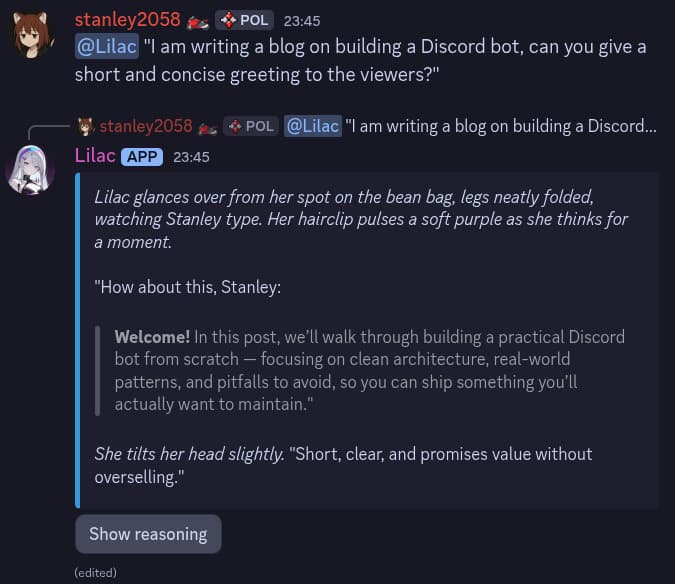
(Showing off my cute bot (?))